

Quick Summary:
Have you ever wanted to create a web app and not write one line of JavaScript? Imagine creating a fast, modern, interactive app while being able to correct variables without changing languages. You, your favorite IDE, and C#. Blazor can help build full-stack web applications in .NET with C# and Razor.
Have you ever used ASP.NET before? Are you curious and new to ASP.NET? Good news: Blazor is great for all levels of web app developers and lets you jump into web development without giving up the language and framework you’re most used to, C# and .Net.
In this article, we will discuss Blazor, the types of Blazor projects (Web Assembly Blazor Server side), its main features, and how you can create your first app with Blazor software development services and with minimal effort and time.
What is Blazor?
Blazor is one of the Microsoft web frameworks enabling developers to build interactive web applications with C# and Razor syntax rather than JavaScript. As part of ASP.NET, Blazor thereby helps to streamline an already existing toolchain for developers who are familiar with C# to create a well-structured web app without becoming conversant with a whole new programming language.
Blazor supports two main hosting models:
> Blazor Server
It runs the C# code on the server. UI updates when user events happen (e.g., onClick, async) are sent back and forth using SignalR, a real-time library. A single SignalR connection is established for each client connected to the app through a web browser. This is an ideal way to run apps that require real-time interactivity with server-side processing support.
> Blazor WebAssembly
This basically runs your C# code in-browser via WebAssembly, which is a binary format that can pretty much operate at native speed. This makes it possible for developers to create rich client-side applications with built-in support for offline apps and a plethora of other features.
Using Blazor’s component model, developers create little be the reusable modular UI components. Additionally, C# and razor syntax allow for scalability without sacrificing maintainability and testability.
Types of Blazor Project
Blazor has two main project types that are based on the hosting model:
Blazor Server
Server-side execution: All the logic is executed on the server. UI interactions are sent via SignalR, which the server then executes to update the UI.
Pros:
- Real-time communications: The ability to receive live updates. Good for collaborative tools. Good for dashboard displays.
- Use server resources efficiently: Great for more complex logic. The server will have access to all backend resources when handling the application.
- Light client footprint: Processing is handled on the server, which allows for easier deployment options and places fewer requirements on clients.
Cons:
The model incurs server costs.
Use Cases:
- Enterprise applications.
- Real-time applications – Collaborative applications like chat applications or dashboards.
- Scenarios that require detailed control of server-side state.
Blazor WebAssembly
Client-Side Execution: Runs the application natively in the user’s browser via WebAssembly, with performance similar to native execution.
Advantages:
- Offline Availability: Ideal for PWAs that must operate offline.
- Cross-browser: Works with major browsers.
- Offloads Server Work: Moves the processing to the client and minimizes server work.
Uses Cases:
- Single-page applications (SPAs).
- Apps with offline requirements.
- Systems that are performance-sensitive to client-side execution speed and responsiveness.
Must know System Requirements
Before you begin, make sure that you have the following:
- .NET Core 2.1 Preview 2 SDK
- Visual Studio 2017 (15.7 or above)
 Note: Blazor does not run on earlier versions of Visual Studio.
Key Features of Blazor
Use C# Across the Stack
For Blazor, C# can be utilized for both client and server-side; thus, there are no requirements for JavaScript to even be considered. With all teams possibly doing their work in one language, productivity, especially if the developers are presently coding with .NET 10 as the stack, goes to an unusually high level. If you develop using a single programming language, such as C#, instead of having to learn another one like JavaScript, you will likely have a decrease in complexity and bugs.
Component-Based Architecture
Blazor uses Razor components (a combination of C#, HTML, and CSS) that allow for a modular approach with a clean separation of logic and UI. This supports code reuse, minor “hackable” bits for UI, and much faster development of complex UI.
Authentication and Authorization
Blazor utilizes ASP.NET Core’s security system and offers easy integration with:
- OAuth
- IdentityServer
- Azure AD
With AuthenticationStateProvider, Blazor can take care of user authorization and authentication as well as user roles in both Blazor Server and WebAssembly.
Why Choose Blazor For Web Apps?
When building modern web apps, developers often find themselves faced with a decision on which framework will allow them to balance productivity, performance and maintainability. Microsoft’s Blazor emerges as a strong contender for those who want to maximize their time spent in C# and .NET all the way through the stack. Find out why Blazor is a smart framework for building web apps:
Build Web UIs Fast
Blazor component-based architecture means developers can quickly build user interfaces. Instead of dealing with complicated front-end logic sprinkled throughout the application using fluctuations of CSS and Javascript, you can encapsulate that UI logic in reusable components.
If you need to change the logic for an application, then you can update logic in one location instead of updating parts of your application in many places. Blazor streamlines the process of developing UIs for forms, dashboards, or other dynamic content.
C# All the Way
A very powerful feature of Blazor is the ability to write event handling, data binding and API integration, all in C#. That’s right–you won’t have to jump between C#, JavaScript and other languages while in the flow of programming.
If you’re familiar with the .NET platform, then Blazor allows you to stick to one framework while building rich, interactive web apps. Blazor allows for JavaScript interop when needed, but for many use cases, you won’t have to write a line of JavaScript.
One Stack for Everything
Using C# and .NET on the front end and back end means fewer moving parts. A unified tech stack means less context switching, shorter development times, and better collaboration across the teams.
Backend developers can provide front-end input without having to learn a new language or tool. This doesn’t just lead to a better written and maintainable code, it also provides smoother workflows across your project.
Flexible Rendering Options
Blazor provides the choice of two execution models for rendering an app, either server-side or client-side. You can use a rendering model that best fits your app’s application scenario. Server-side Blazor (Blazor Server) features faster load times and smaller downloads.
Client-side Blazor (Blazor WebAssembly) enables fully interactive apps that run entirely in the browser. You may use them interchangeably and combine them, depending on your performance targets and user experience expectations.
Easy Steps to Build Web Applications with Blazor
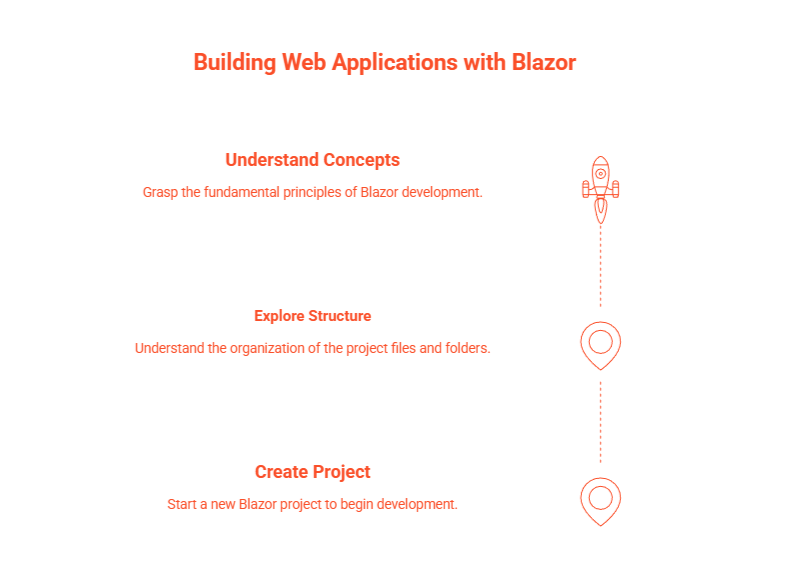
Create a New Blazor Project
Open Visual Studio, click Create a new project, and search for “Blazor.” Choose the proper Blazor Web App template and continue creating your project. Be sure to choose .NET 8.0 for the best support and sustainability.
Explore the Overall Project Structure
After creating your project, review the default files:
- Program.cs – Entry point to initialize your application.
- App.razor – Root component for your application.
- Routes.razor – Handles client-side routing.
- Components/Pages – Holds UI components and pages.
- BlazorApp.csproj – Describes the structure of your project and its dependencies.
- launchSettings.json – Manages local environment settings.
Understand Core Concepts
- Pages: Addresses accessible from URLs. They are higher-level views.
- Components: Reusable blocks that combine UI and logic.
- Services: Provide non-UI behavior, such as data access and logging.
If you identify your application structure using these core concepts, you can quickly start building scalable full-stack applications or you can hire custom dot net development company which makes your tasks easier.
Local Running of the Application
- Click Start Debugging (the green arrow).
- You can also use Hot Reload for real-time code updates.
- For your first run, you will need to trust a development certificate. This allows HTTPS hosting for local testing.
You can click Stop in the toolbar to terminate your session at any point.
Top Blazor Learning Levels
Blazor learning path is designed for every level of your development journey:
>Beginner
Understand the framework, make your first project and understand the basic components.
> Intermediate
Understand advanced scenarios like forms, routing and authentication.
> Advanced
Understand how to make custom components, integrate third parties, and do JavaScript interop and others for maximum flexibility.
Conclusion
Blazor is changing how web apps are developed in the .NET ecosystem. With the power of C#, Razor syntax, and modern design patterns, you can have an efficient way to build virtually any web app. A dashboard, PWA, or a real-time enterprise application Blazor gives you the ability to build it all with fewer headaches and more fun.
Are you ready to lose the JavaScript and build the web your way? Start your Blazor journey today.